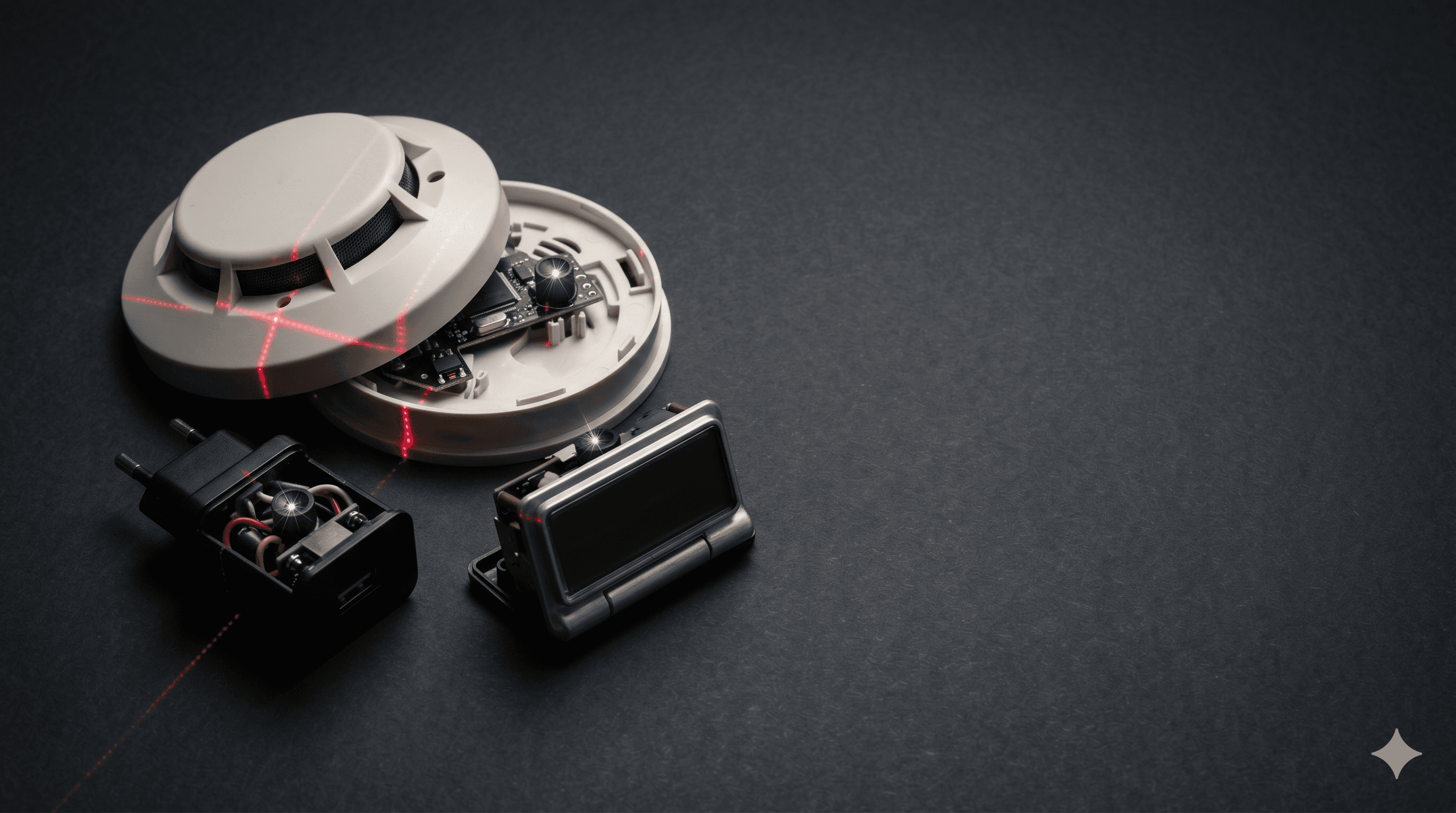
You're checking into a vacation rental at 11pm with your wife and two kids. The smoke detector in the master bedroom has a tiny black dot that doesn't quite match the others in the unit. The alarm clock on the nightstand is a brand you've never heard of. The USB charger in the wall outlet is plugged into a switched outlet behind the headboard, which is a strange place for a phone charger. You're tired, the kids want to sleep, and you tell yourself you're being paranoid.
You're probably not being paranoid. You may also not be right. The discipline of figuring out which is called counter-surveillance — the systematic process of finding hidden surveillance gear that someone else has installed against you. Ed Calderon built a career on counter-surveillance and counter-custody training because the gear is now cheap enough that anyone can deploy it: a Wi-Fi camera disguised as a screw head retails for under $40, a GSM audio bug fits inside a ballpoint pen, and an SD-card-only spy camera with 30-day battery life ships from Shenzhen for $60. This post walks the technique-by-technique playbook for the three scenarios most readers actually face: short-term rentals, long-term rentals where the previous tenant or landlord may have left something behind, and post-divorce or post-breakup situations where an ex-partner had access to your home, vehicle, and devices.
One ground rule before we start. None of these techniques is 100%. Anyone who tells you a $20 RF detector "guarantees" a clean room is selling you something. The honest framing is defense in depth: stack multiple detection methods because each one has different blind spots, and accept that a determined professional with TSCM-grade gear will defeat consumer countermeasures. Two is one, one is none.
In this article
- Counter-Surveillance: Finding Hidden Cameras in a Rental, AirBnB, or After a Divorce
- Why most online "fixes" are partial or wrong
- The categories of devices you're hunting
- Detection technique 1: Visual inspection
- Detection technique 2: Phone IR camera
- Detection technique 3: Wi-Fi network scan
- Detection technique 4: RF spectrum detection
- Detection technique 5: Bluetooth, AirTag, and stalkerware sweeps
- Detection technique 6: Professional TSCM
- Scenario A: Airbnb / hotel / vacation rental protocol
- Scenario B: Long-term rental / new home
- Scenario C: Post-divorce / post-breakup / stalking
- What this means for your home security choice
- The honest closing
Why most online "fixes" are partial or wrong
The dominant counter-surveillance content on YouTube is a mix of partial truths and outright misinformation. Three examples worth calling out:
- "A $20 RF detector finds any camera." False. RF detectors only catch actively transmitting devices. An SD-card-only camera that records to local storage and is retrieved later transmits nothing. A camera in airplane mode or scheduled to transmit only at 3am will be silent during your sweep.
- "Shine a flashlight; lenses glow back." Partial. This works for some pinhole lenses at the right angle, but modern hidden cameras use anti-reflective coatings and recessed lens placement specifically to defeat this. The Electronic Frontier Foundation and consumer-tech reviewers have noted this technique catches a meaningful fraction but not all.
- "Use the Hidden Camera Detector app." Most of these apps use the phone magnetometer, which detects ferrous metal — useful for finding screws, useless for finding a plastic-housed Wi-Fi camera with no magnetic signature.
The threat is real. Airbnb hidden camera reports have generated a steady stream of news cases since 2019, including incidents where guests discovered cameras inside smoke detectors aimed at beds. Stalking statistics from the U.S. Department of Justice's Bureau of Justice Statistics show that a substantial share of stalking victims report electronic monitoring by an intimate partner — phones, GPS, hidden cameras, or shared accounts — and domestic-violence advocacy groups have flagged consumer "stalkerware" as one of the fastest-growing technology-enabled abuse vectors. The FTC has brought enforcement actions against multiple stalkerware vendors over the last decade.
The categories of devices you're hunting
Before you can find something, you need to know what you're looking for. Hidden surveillance gear breaks into five categories, each with different detection profiles:
- Wi-Fi cameras disguised as everyday objects. Smoke detectors, USB wall chargers, alarm clocks, picture frames, screw heads, wall outlets, lightbulbs, hooks, air purifiers. These transmit live video over the local Wi-Fi or a hotspot the camera creates itself. Detectable by Wi-Fi network scan, RF detection, and visual inspection.
- Battery-powered SD-card cameras. Record to local storage, no transmission. The owner physically retrieves the card or the device. Much harder to detect — Wi-Fi scan and most RF sweeps miss them entirely. Visual inspection and lens-glint techniques become primary.
- Audio-only bugs. Smaller than cameras (no lens), longer battery life, often wired into permanent power (wall outlet, lamp, smoke detector with a 9V backup). GSM bugs use cellular bands, which most consumer RF detectors only partially cover.
- GPS trackers on the vehicle. Apple AirTag, Tile, Samsung SmartTag for crowd-sourced tracking; dedicated cellular trackers (LandAirSea, Spytec, Bouncie) for live location. Can be tossed under a wheel well, magnetically attached to the frame, hardwired into the OBD-II port, or hidden in the trunk lining.
- Stalkerware on the phone. Pegasus-class nation-state spyware is rare. Consumer stalkerware — mSpy, FlexiSpy, Cocospy, Hoverwatch, KidsGuard — is what shows up in domestic-violence cases. Requires brief physical access to install on iOS (with the iCloud password) or Android.
Detection technique 1: Visual inspection
Free, fast, and catches the lazy installer. The mental model: where would I put a camera if I were the bad guy?
Where to look
- Anywhere with a power source. USB wall chargers, alarm clocks plugged into the wall, lamps, smoke detectors hardwired to mains, wall outlets. Cameras that don't need to swap batteries are the most common because they're "set and forget."
- Anywhere with line of sight to a bed, shower, toilet, or changing area. A picture frame on the dresser facing the bed. A smoke detector directly above a bed (smoke detectors should be on the ceiling at the room's edge, not centered over a sleeping area). An air freshener on a shelf with a clear view of the bathroom.
- Objects that are out of place or out of style. A clock radio in a $400/night design-forward Airbnb. A second smoke detector six feet from the first one. A USB charger plugged in but not connected to anything. A houseplant with a single fake leaf at an unusual angle.
Lens-glint scan
Darken the room. Use your phone flashlight (or a small dedicated LED) and slowly scan all suspect objects from multiple angles, watching for a small, bright circular reflection. Camera lenses, even pinhole lenses, return light differently than surrounding plastic. This is most effective at distances of 3-8 feet and at angles where you'd be in the camera's field of view. Limitation: recessed lenses, anti-reflective coatings, and dual-glass diffusers all defeat this. Catches the cheap stuff. Misses the good stuff.
Asymmetry check
Most hidden cameras require a single small hole for the lens. Look for a single hole that doesn't match the surrounding object's design language — a tiny dot on a smooth alarm clock, a black mark on a white smoke detector ring, a hole in a Phillips screw head where there shouldn't be one. Genuine product design tends to be symmetric or follow a clear pattern; surveillance retrofits break the pattern.
Detection technique 2: Phone IR camera
Many smartphone front cameras lack the IR-cut filter that the rear camera has. Active infrared illuminators on hidden cameras (used for night vision) are invisible to the naked eye but glow purple-white through a filterless front camera.
How to use it: darken the room completely. Open the selfie/front camera. Slowly pan around the room watching the screen. IR-emitting devices appear as bright spots. Test the technique first by pointing your TV remote at the front camera and pressing a button — if you see the LED flash on screen, your phone front camera is filterless and the technique works.
Caveats: only catches cameras with active IR illumination running. A daytime-only camera or one that records in ambient light shows nothing. Newer iPhones (14 Pro and later) and many flagship Androids have stronger IR filtering on the front camera and may not work as well. Some night-vision cameras use 940nm IR which is harder for filterless sensors to pick up than 850nm. Useful as a free additional layer, not as a primary tool.
Detection technique 3: Wi-Fi network scan
If a device is streaming video over the local Wi-Fi, it has an IP address. Network scanners list every connected device. The two most useful tools:
- Fing (iOS, Android, desktop) — most polished consumer scanner; identifies device type, vendor MAC prefix, and often the manufacturer.
- iNet Network Scanner (macOS) and Angry IP Scanner (cross-platform) — more technical, more thorough.
The Airbnb workflow
Connect to the rental's Wi-Fi (you needed the password anyway). Run Fing. Look at the device list. Hidden cameras often appear as one of:
- Generic vendor strings: "Espressif" (the ESP32/ESP-Cam family that powers many cheap Wi-Fi cameras), "Shenzhen," "Hangzhou," generic "ipcam"
- Camera-brand MAC prefixes: Hikvision, Dahua, Yi Technology, Wyze, Reolink, Tuya. Some are legitimate (the host has a doorbell cam in a common area, which Airbnb permits if disclosed). Some are not.
- Mismatched device counts: a 1-bedroom cabin should not have 14 connected devices.
Caveats: the camera could be on a hidden SSID, on the host's separate IoT network, or on cellular data — none of which your scan sees. A negative Wi-Fi scan does not mean a clean room. It means no camera on this Wi-Fi.
Detection technique 4: RF spectrum detection
Handheld RF detectors scan a wide frequency band looking for active wireless transmissions. The decent consumer units — K18, JMDHKK Anti-Spy, Hidden Camera Detector by KKMOON — typically cover roughly 1 MHz to 6.5 GHz, which captures Wi-Fi (2.4/5 GHz), Bluetooth, GSM/3G/4G cellular, and most consumer wireless cameras. Expect to spend $80-$200 for something that isn't pure theater.
Sweep technique
- Turn off every known wireless device in the room. Phones in airplane mode. Laptops asleep. Smart TV unplugged. Bluetooth speakers off. The fewer legitimate emitters, the lower the noise floor.
- Set the detector to its highest sensitivity. Walk slowly. Hold the antenna still — RF sensitivity is directional and motion-noisy.
- Watch the bar graph (or listen to the audio tone). Sustained spikes near a specific fixture are the signal. A constant spike with no specific source is usually ambient (neighbor's Wi-Fi).
- If you find a spike, isolate it: cover the suspect object with your hand, watch for change. Move 3 feet away, watch for change. RF falls off with distance — proximity is your friend.
What RF detectors miss
- SD-card-only cameras (no transmission)
- Cameras shielded by metal enclosures
- Cameras in airplane mode or scheduled-transmit mode
- Devices on cellular bands the detector doesn't cover
- Frequency-hopping or spread-spectrum signals at low duty cycle
Consumer RF detectors also produce false positives — a strong external Wi-Fi signal, a smart thermostat, a microwave running. Manage expectations honestly. RF is one layer in defense in depth, not a magic wand. This is also where EMCON (emissions control) thinking applies: you can't find a transmitter that isn't transmitting.
Detection technique 5: Bluetooth, AirTag, and stalkerware sweeps
This is the divorce/breakup/stalking layer. The threat profile is different: the adversary had physical access at some point, knows your routine, and is using consumer-grade tools.
AirTag and unknown-tracker detection
- iOS: Find My already runs unknown-tracker alerts in the background since iOS 14.5. You can also manually trigger a scan via Find My > Items > Items detected with you.
- Android: Google rolled out native unknown-tracker alerts in 2024 for AirTags and compatible Bluetooth trackers. For broader coverage, install AirGuard (a research-grade app from TU Darmstadt's Secure Mobile Networking Lab) which scans for AirTag, Tile, Samsung SmartTag, and Chipolo. Apple's Tracker Detect on Google Play covers AirTags specifically but not other ecosystems.
- Vehicle sweep technique: drive somewhere alone, park, walk a half block away with your phone. Wait 5 minutes. Walk back. If a tracker is on your car, it now thinks it's been separated from its owner and may emit a tracking alert. Then check wheel wells, frame rails, behind plastic bumpers, inside the trunk wheel-well storage, and the OBD-II port (under the dash, driver's side, knee level).
Apple Safety Check (iOS 16+)
This is the single most important built-in feature for anyone leaving an abusive or controlling relationship. Settings > Privacy & Security > Safety Check walks through every account, app, and person who has access to your iPhone data and lets you revoke it in one pass — location sharing, family sharing, shared albums, third-party app permissions, and shared device access. The "Emergency Reset" option severs everything at once. Apple maintains the canonical guide at Apple Personal Safety.
Stalkerware detection
For iOS, the gold-standard remediation is a factory reset and restore from a backup that predates the suspected compromise (or a fresh setup, no restore). For Android, a factory reset plus changing the Google account password. Anti-stalkerware apps like Certo and Lookout flag known stalkerware signatures, but new variants ship faster than signatures update. The Safety Net Project at NNEDV publishes the most thorough survivor-focused tech safety guide we've seen.
Detection technique 6: Professional TSCM
TSCM — Technical Surveillance Counter-Measures — is the professional discipline. Practitioners use $5,000-$50,000+ gear: real-time spectrum analyzers, non-linear junction detectors (NLJDs) that find unpowered electronics by exciting their semiconductor junctions, thermal imaging, wireline analysis, and physical search protocols. Granite Island Group and ComSec are among the long-established U.S. firms; the discipline has its own trade publications and certifications.
When to hire a TSCM professional:
- You're a high-net-worth individual, public figure, or executive at a target company and have specific reason to believe you've been targeted.
- Contested custody case where the opposing party has the means and motive for professional surveillance.
- Active stalking case where consumer-grade detection has come up empty but the behavioral evidence (the stalker knowing things they couldn't otherwise know) keeps accumulating.
- Corporate espionage / business travel to high-risk jurisdictions.
For most readers, techniques 1-5 are the right tool. Escalate to professional only when there's specific suspicion that justifies the cost.
Scenario A: Airbnb / hotel / vacation rental protocol
The arrival sweep should take about 15 minutes and goes in this order:
- Minute 1-5: Visual sweep. Walk every room. Photograph anything that looks out of place (this matters if you later need to file a complaint). Pay attention to bedrooms, bathrooms, and any room with a clear view of an undressing area.
- Minute 5-8: Wi-Fi scan. Connect to the rental's Wi-Fi. Run Fing. Screenshot the device list.
- Minute 8-12: Lens-glint and IR sweep. Darken bedrooms and bathrooms one at a time. Front-camera IR scan, then flashlight lens scan.
- Minute 12-15: Suspicious device handling. Unplug or cover (with a sock or towel) any USB charger, alarm clock, or air freshener you can't account for. If it's bolted in or hardwired (a smoke detector you're suspicious of), cover the lens area with a strip of electrical tape and document it.
Airbnb's policy on security cameras and recording devices currently bans hidden cameras inside private spaces (bedrooms, bathrooms, common indoor areas), and as of 2024 the platform tightened the rules to ban all indoor cameras even in common areas. Outdoor cameras must be disclosed in the listing. If you find a violation, document with photos, contact Airbnb Trust & Safety from inside the room, and file a police report — Airbnb's response is faster when there's a parallel law-enforcement complaint.
Scenario B: Long-term rental / new home
Run the Airbnb protocol on move-in day before any furniture goes in. Add:
- Router admin panel check. If the rental came with a router, log into the admin panel (label is usually on the device). Look for unfamiliar devices, port forwards, DDNS entries, and admin-account names you didn't create. Replace the router with your own if there's any uncertainty.
- Re-key the locks. Standard practice but worth restating. See the smart locks guide for the modern equivalent.
- Document the unit's existing devices in writing with the landlord. Smoke detectors, thermostats, doorbells, any "smart home" gear that came with the unit. If anything is added later without your knowledge, you have a baseline.
Scenario C: Post-divorce / post-breakup / stalking
Treat this as a layered operation, not a single sweep. The order matters because each step depends on the previous one being clean.
- Phone first. If the relationship was abusive or controlling, assume the phone is compromised. iOS Safety Check, then factory reset and restore from a clean backup or set up fresh. Change every account password from a different device — laptop, library computer, friend's phone.
- Account audit. Apple ID, Google, Microsoft, every social platform, banking, email. Remove the ex from family-plan billing, iCloud sharing, shared calendars, shared photo albums, and any shared password manager. Enable hardware-key 2FA (YubiKey or equivalent) on email and banking — this is the single biggest force multiplier against account-takeover.
- Vehicle sweep. AirTag detection walk, then physical inspection of wheel wells, undercarriage (a flashlight and a creeper), inside the trunk lining, and the OBD-II port. A cellular tracker hardwired to OBD-II will show up as a small black box plugged in under the dash.
- Home sweep. Full techniques 1-5 sweep, with extra attention to bedrooms, bathrooms, the front door (doorbell cameras), and the router. Replace the router. Reset every smart-home device or wipe and reflash.
- DV resources. The National Domestic Violence Hotline (1-800-799-7233) and NCADV can connect you with local advocates who have worked these tech-abuse cases before. The Safety Net Project has the deepest practitioner-grade documentation. None of these organizations require you to be in immediate physical danger to call.
If a protective order is in place or pending, document everything. Photographs, app names, timestamps. The evidence chain matters in court more than the technical sophistication of your detection.
What this means for your home security choice
Counter-surveillance is the inverse problem of home security: instead of installing sensors that watch the world, you're hunting sensors that someone else installed to watch you. Both problems share one principle: any device on the internet is a device an attacker can reach. Cloud-mandatory security cameras get hacked at the cloud provider, get backdoored by a compromised account password, or get accessed by a former spouse who's still on the family plan. The OPSEC-friendly answer is the same one we keep returning to: NDAA-compliant gear that records locally, requires no forced cloud subscription, and supports hardware-key 2FA for any remote-access feature you do enable.
This is not theoretical. The same skills you used to find the screw-head camera in your Airbnb apply to evaluating which security system you put in your own house. If you wouldn't trust the Airbnb host's choice of camera, don't trust the same architecture in your own home. For the broader OPSEC framework, see OPSEC for homeowners and the gray-man doctrine, the echelons of defense layered model, and — for renters specifically — the best security systems for renters guide. For account-takeover-resistant remote access patterns, see controlling your home security system remotely.
The honest closing
You will not catch a state-level adversary with consumer gear. You will catch most amateurs, most opportunist Airbnb hosts, and most ex-partners who installed off-the-shelf stalkerware. That covers the threat model for 99% of readers. For the 1% with a higher threat model, the techniques in this post are the foundation; professional TSCM is the next layer.
Two is one, one is none. Stack the techniques. Accept the limitations. Train your family in the basics — your spouse should be able to run a Fing scan and a lens-glint sweep without you in the room. That's how counter-surveillance becomes a force multiplier instead of a one-person bottleneck.
If you're ready to spec a home security system designed around these OPSEC principles — NDAA-compliant, local-first recording, no forced cloud, account-takeover-resistant — we'll walk you through the options at smartsecurityconcierge.com. No high-pressure pitch. Just the spec sheet.