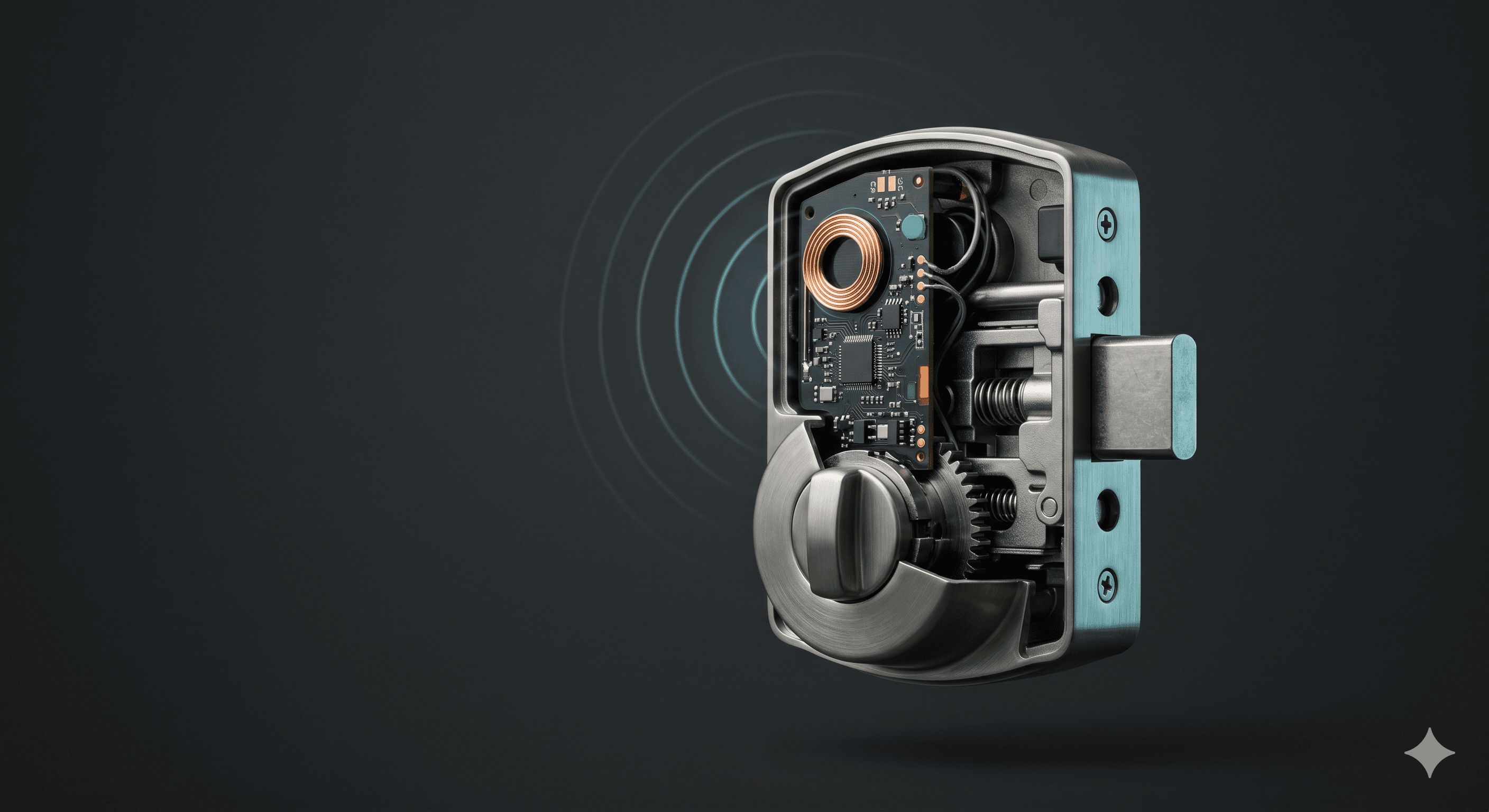
The front door is the single most important entry point in your home, and the lock you put on it is the first physical layer of your security system. Yet most homeowners pick a smart lock by brand recognition alone, without ever looking at how the lock is built, what radio it speaks, or how it actually authenticates a person at the door. The result is a beautiful gadget bolted to a flimsy strike plate, talking to a cloud that may or may not exist in three years.
This guide goes one layer deeper than the typical roundup. By the end you should understand BHMA grading, the difference between Z-Wave, Zigbee, Wi-Fi, Bluetooth, and the Matter standard, the tradeoffs between PIN, fingerprint, NFC, Apple Home Key, and geofencing, and whether you should retrofit your existing deadbolt or replace the whole assembly. The goal is not to sell you a brand. The goal is to give you enough technical literacy to ask the right questions.
In this article
- The Complete Guide to Smart Locks for Your Front Door
- Lock Construction: BHMA Grades and ANSI Standards
- Connectivity Protocols: What the Radio Actually Means
- Authentication: How You Actually Open the Door
- Retrofit vs. Full Replacement
- Integration with Your Broader Security Ecosystem
- A Short Buying Checklist
- Get a Free Smart Lock and Security Consultation
Lock Construction: BHMA Grades and ANSI Standards
Before any radio or app matters, the lock has to be a lock. The Builders Hardware Manufacturers Association publishes the ANSI/BHMA A156 family of standards that rate residential and commercial hardware on operational durability, security, and finish. As the BHMA Product Grade Levels reference states, "product grades (1, 2 or 3 — with grade 1 being the highest) are defined by progressive levels of performance benchmarks in each applicable ANSI/BHMA standard." Smart locks specifically are covered under ANSI/BHMA A156.36, which adds cybersecurity and electronic-function tests on top of the mechanical grading.
The new BHMA Residential Security label makes shopping easier by listing Security, Durability, and Finish as A/B/C ratings on a single sticker. Translated into practical terms:
- Grade 1 — The strongest tier, originally a commercial spec and now common on premium residential deadbolts. Engineered to resist the highest forced-entry strike loads and the longest cycle counts in the standard.
- Grade 2 — Solid residential security and the sweet spot for most homes. Resists significant forced entry and well over a hundred thousand operating cycles.
- Grade 3 — The minimum residential standard. Avoid for an exterior front door if you have any choice.
Two adjacent UL standards are also worth knowing. UL 437 certifies key cylinders against picking, drilling, and impressioning — important if your smart lock still has a physical keyway as a backup. UL 1034 covers burglary-resistant electric locking mechanisms and is more common on commercial hardware, but a handful of high-end residential models carry it. A lock with a slick app and a Grade 3 body is a lock you should not buy.
Connectivity Protocols: What the Radio Actually Means
Smart locks talk to your phone, hub, or security panel over one or more wireless protocols. Each has real consequences for range, battery life, and how the lock behaves when your internet goes down.
Bluetooth Low Energy
Nearly every smart lock includes BLE for in-app pairing and short-range unlocking. It is power-efficient and works without a hub, but range is limited to roughly 30 feet and there is no native remote access. A pure Bluetooth lock is fine for a renter or a side door — it is rarely enough on its own for a primary residence.
Wi-Fi
Built-in Wi-Fi gives you direct remote control with no hub, but it is the worst choice for battery life. Wi-Fi locks typically need new batteries every two to three months versus a year or more for low-power mesh radios. If you go Wi-Fi, look for models that wake the radio only on demand.
Z-Wave and Zigbee
These low-power mesh protocols have been the workhorses of professional security panels for over a decade. Z-Wave (now Z-Wave Long Range) is the most common choice for ADT, Vivint, Ring Alarm, and similar panels. Zigbee shows up in Amazon, Samsung SmartThings, and Hue ecosystems. Both require a hub but offer excellent battery life and reliable local control even when the internet drops.
Matter and Thread
The biggest shift in smart locks is the Matter standard from the Connectivity Standards Alliance. Matter is an application-layer protocol that runs over Wi-Fi or Thread (a low-power mesh similar to Zigbee), with Bluetooth Low Energy used for commissioning. The point is interoperability: a Matter-certified lock should pair with Apple Home, Google Home, Amazon Alexa, and Samsung SmartThings without anyone's proprietary cloud in the middle.
The standard is moving fast. Matter 1.4, released in November 2024, added Long Idle Time and Check-In protocols specifically to extend the battery life of intermittently connected devices like locks and sensors, and introduced certified Home Routers and Access Points with built-in Thread Border Routers. Matter 1.4.1 followed in May 2025 with NFC onboarding. Heading through 2026, most new flagship locks from Aqara, Yale, Schlage, and Level ship Matter-over-Thread out of the box. If you are buying for the long haul, Matter support is the single most future-proof checkbox on the spec sheet.
Authentication: How You Actually Open the Door
The radio gets data to the lock; authentication decides who gets in. Most modern locks support several methods, and each has a different tradeoff between convenience and risk.
- PIN code — Universal, works for guests and contractors, easy to rotate. The weak point is shoulder-surfing and worn keys; pick a lock with scrambled or "phantom digit" entry that lets you pad the code with extra numbers.
- Fingerprint — Fast, no phone needed, great for kids. Quality varies wildly. Capacitive sensors from established vendors are reliable; cheap optical sensors are not. Cold weather and wet fingers degrade performance.
- NFC tags and cards — Tap to unlock. Useful for a housekeeper or dog walker who you do not want to give an app to.
- Apple Home Key — Stores a credential in the Secure Element of your iPhone or Apple Watch and unlocks via NFC tap, even if the phone's battery is dead (Express Mode keeps a small reserve). The currently supported set on the manufacturer side includes the Schlage Encode Plus, the Yale Assure Lock 2 family, the Level Lock Pro with Matter, and Aqara's U-series. Home Key requires Apple Home and is widely considered the most secure consumer authentication available today.
- Geofencing and auto-unlock — Convenient but the highest-risk option. Phantom unlocks, GPS drift, and pocket bumps are real. If you enable it, pair it with a second factor like a Bluetooth proximity check.
- Physical key backup — Some locks (Level, August retrofits) keep the original keyway; others (Schlage Encode, Yale Assure key-free) ship keyway-free. Keyway-free is more pick-resistant; keyed is friendlier when batteries die.
Retrofit vs. Full Replacement
You have two physical install paths, and the right answer depends on your existing door and your priorities.
Retrofit locks (August Smart Lock, Level Bolt) replace only the interior thumbturn and leave your existing deadbolt, strike, and exterior keyway in place. Pros: the outside of your door looks unchanged, you keep your existing keys, and installation takes about 15 minutes. Cons: you inherit whatever security grade your old deadbolt had, and you give up most keypad and biometric options.
Full-replacement locks (Schlage Encode Plus, Yale Assure 2, Aqara U200, Level Lock Pro) swap the entire deadbolt assembly. Pros: you get a known BHMA grade, modern tamper detection, and the full menu of authentication options. Cons: more involved install, and your existing keys no longer work unless you rekey to match.
For a primary front door, full replacement with a Grade 1 or Grade 2 lock is almost always the better choice. For a rental, side door, or interior door, a retrofit makes sense. Renters in particular should read our guide to security systems for renters for non-permanent options that satisfy most leases.
Integration with Your Broader Security Ecosystem
A smart lock is not a security system. It is a sensor and an actuator that becomes powerful when it talks to the rest of your stack. The integrations that matter:
- Alarm panel arming — A lock event can auto-arm Stay mode at night and disarm when the right user code unlocks the door. This is the single biggest day-to-day convenience win.
- Camera coordination — Lock activity should trigger a clip from the doorbell or porch camera, so every entry has a face attached to it.
- Per-user audit log — Each family member, guest, and contractor needs their own code or credential so the log tells you who actually came in.
- Schedule-based access — Time-bound codes for cleaners, dog walkers, or short-term rentals reduce the need to ever share a permanent code.
- Local fallback — Confirm the lock still works on Z-Wave, Thread, or local Apple Home when your internet is down. Cloud-only locks fail badly during outages.
If you are still mapping out the bigger picture, our home security systems comparison walks through how locks slot into the major platforms, and home security technology trends for 2026 goes deeper on Matter, Thread, and where the industry is heading. The choice between rolling your own setup and paying for monitoring is covered in self-monitored vs. professionally monitored home security.
A Short Buying Checklist
Before you click buy on any smart lock, run through this list:
- Confirm BHMA Grade 1 or Grade 2 on the spec sheet, ideally with an A or B Security rating on the BHMA Residential Security label.
- Verify the connectivity protocol matches your hub or platform — and look for Matter over Thread if you want the longest useful life.
- Check that the authentication methods you actually plan to use are first-class, not afterthoughts. If Apple Home Key matters, confirm the specific SKU supports it; not every variant of a model line does.
- Look at battery life claims under your real radio choice (Wi-Fi numbers will be much shorter than Thread or Z-Wave).
- Read the installation section before you buy. Door thickness, backset, and bore size all matter.
- Confirm there is a local control path if the cloud goes dark.
If this feels like a lot to weigh on your own, you are not alone — locks are a small part of a much larger ecosystem decision. Our piece on feeling overwhelmed by security options exists for exactly this moment.
Get a Free Smart Lock and Security Consultation
Smart locks are one of the highest-leverage upgrades you can make to your home, but only if the lock you pick fits the door you have, the platform you use, and the way your household actually lives. Smart Security Concierge can match you with the right lock and the right surrounding system at no cost to you. Schedule a free consultation here and we will help you turn your front door into a real first line of defense — and help you make peace of mind a priority across the whole home.