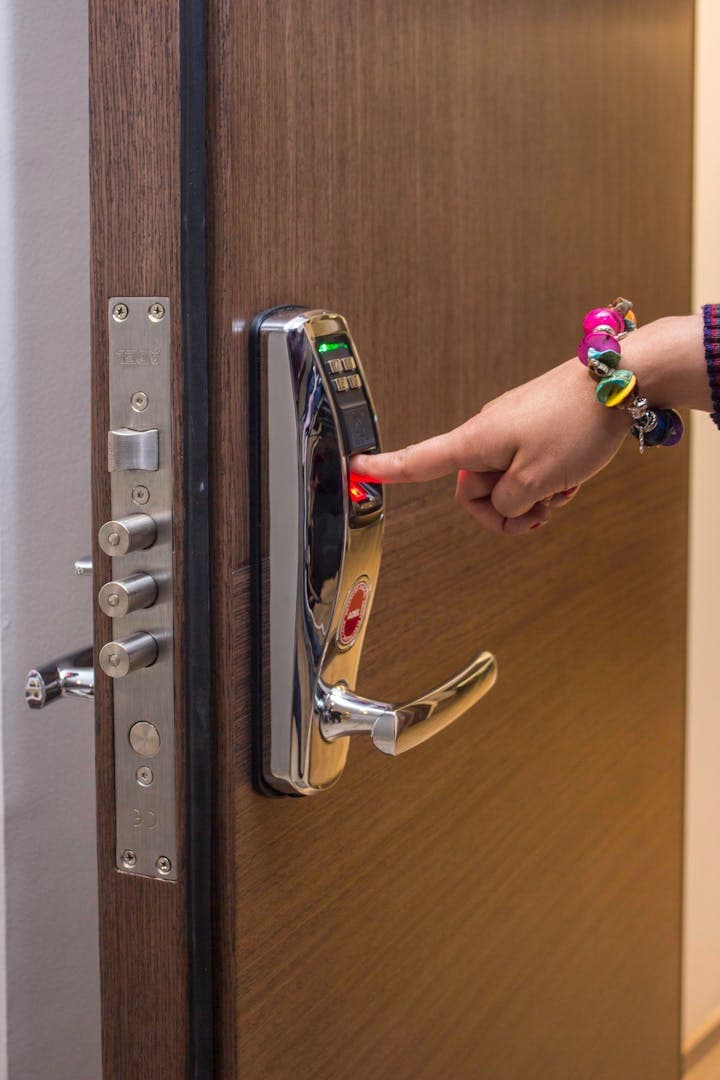
Count the people who have a key to your Florida house. Really count. The cleaning service has one - or at least one of their employees does, and you do not actually know which one anymore. The pool company has the side gate code. The landscaper rings the bell out of habit but has been told the garage code "in case." The pest control tech got a key from your neighbor that one time. The home watch service has the real key. The handyman who fixed the disposal in February? He gave it back. Probably.
Now you are 1,500 miles north for the summer, and you cannot tell me with certainty who can walk into your home this Wednesday. That is not a security system. That is key chaos. The good news is the fix is well within reach for a snowbird who is not interested in becoming a tech hobbyist. One smart deadbolt, set up correctly, replaces every key, every code, and every awkward "we lost the lockbox key, can you mail us another" phone call. Better, it tells you exactly who came and went and when - which, if you have a half-decent home watch service, is the missing piece that makes the whole arrangement trustworthy.
This is a guide to picking the lock, configuring it the snowbird way, and avoiding the handful of failure modes that trip people up when they are far from the door.
In this article
- Smart Locks for Cleaners, Pool Guys & Landscapers: Snowbird Access Without Key Chaos
- Why hide-a-keys and lockboxes are no longer enough
- The principle: one code per vendor, scheduled to their hours
- What a snowbird-friendly smart lock must have
- Brand landscape: an honest comparison
- The killer feature: lock and alarm working together
- Code hygiene: the rotation schedule
- The HOA and condo angle
- Common pitfalls
- Pair the lock with home watch
Why hide-a-keys and lockboxes are no longer enough
The classic snowbird approach was a Realtor lockbox or a magnetic hide-a-key, plus a four-digit code on the alarm shared with everyone. That worked when you had two contractors. With five to eight different vendors cycling through, it stops working in a hurry. Here is what actually goes wrong:
- The lockbox code gets shared inside the cleaning company. New hire learns it on day one, keeps it after she quits.
- The physical key gets copied at a hardware store. You will never know.
- The alarm code is the same for everyone, so when the alarm trips at 11pm on a Sunday, your monitoring station has no idea who was supposed to be there.
- You forget to change the code when the pool service swaps technicians, which they do constantly.
- The neighbor who has "the spare" goes on a cruise the same week your AC breaks.
The lock and the alarm have to match. If the alarm has individual user codes but the lock uses one shared key, you have given up the audit trail. If the lock has individual codes but the alarm has one shared PIN that everyone knows, same problem. The point of the upgrade is that every contractor has their own credential on both systems, ideally tied together.
The principle: one code per vendor, scheduled to their hours
This is the snowbird operating model and it is the entire point of the article. Each recurring vendor gets their own user code on the lock, and that code is only valid during the hours they are actually supposed to be there.
- Pool service - Code 1004, valid Tuesdays 9:00 AM to 12:00 PM
- Cleaning service - Code 1009, valid every other Wednesday 10:00 AM to 2:00 PM
- Landscaper - Code 1015, valid Fridays 7:00 AM to 11:00 AM
- Pest control - Code 1022, valid the first Thursday of the month, 1:00 PM to 4:00 PM
- Home watch - Code 1030, valid all hours (they are your eyes on the property)
- Handyman - one-time code, generated for the visit, expires that night
If a code is used at 9pm on a Saturday, you know two things instantly: it should not have happened, and you know exactly which vendor's credential was misused. That is a level of accountability that a brass key on a hardware-store ring simply cannot provide. It also matches the way you should already be thinking about the empty home - see our piece on cellular monitoring while the home is empty for the alarm side of the same equation.
What a snowbird-friendly smart lock must have
Smart locks are a crowded category, and many of them are designed for a single homeowner who is around most of the time. That is not your situation. Here is the snowbird checklist:
- Multiple user codes - at least 20, ideally 50 or more. You will use more slots than you think.
- Schedule-based codes - day of week plus time window, not just a single expiration date. This is the killer feature.
- Audit log accessible remotely - you need to see who came in and when, from your phone, from anywhere.
- Auto-lock - 30 to 60 seconds after the door closes. Cleaners and pool techs are not always great about pulling the door fully shut.
- Tamper alarm - the lock screams if someone tries to pry it off the door.
- Battery life of six months or better - you do not want to schedule a battery change from Michigan.
- Integration with your alarm or security app - this is the single most important item on the list, and it is what most people skip.
Brand landscape: an honest comparison
I am not going to pretend there is one right answer. There are four or five locks that meet the snowbird criteria, and the best choice depends on whether you have an existing professional alarm, whether you live in the Apple ecosystem, and whether your HOA is going to give you grief about the look.
Schlage Encode Plus
Built-in Wi-Fi, no hub required, supports up to 100 access codes, native HomeKit and Apple Home Key, and Matter support so it plays with most ecosystems. Schlage's deadbolt mechanism carries an ANSI/BHMA Grade 1 rating, which is the highest residential category. For an iPhone household that wants schedule-based codes and a clean audit log without any extra hardware, this is the easy default. Schlage's product page covers the supported features in detail.
Yale Assure Lock 2
Yale's current generation supports up to 250 user codes through the Yale Access app, with codes that can be permanent, temporary, or scheduled to specific days and time windows. The app's activity log shows every lock and unlock event, including auto-lock events. The Assure Lock 2 also comes in interchangeable radio modules - Wi-Fi, Z-Wave, and so on - which matters if you already have a professional alarm panel that wants to talk to it directly. Yale's product page covers the model lineup.
August (Yale subsidiary)
August is the retrofit option. It mounts on the inside of your existing deadbolt and leaves the outside of your door looking exactly the way it does today, including the existing key. Good if you do not want to drill a new strike or replace the trim. Less ideal if your existing deadbolt is twenty years old and worn out - garbage in, garbage out.
Kwikset Halo
Budget Wi-Fi keypad lock. Works fine, fewer integrations than Schlage or Yale, app is functional rather than polished. Reasonable choice for a single-vendor setup but not the one I would pick if you have six contractors and a pro alarm.
Level Lock+
Level Lock+ hides all the smart-lock electronics inside the deadbolt itself, so the outside of your door looks like a normal keyed deadbolt. This matters in HOA condos and in homes where the look of a chunky black keypad is a problem. It supports HomeKit and Apple Home Key. The trade-off is that without an external keypad, contractors need either a key fob, the app, or a phone tap, which is a different workflow than punching in a code. Reviews note that battery life is around six months and installation takes about as long as a hardware-store deadbolt swap. AppleInsider's review walks through the current model.
Pro-installed alarm-platform locks (ADT, Vivint)
If you already pay a professional monitoring company, ask whether they offer a lock that pairs natively with their app. ADT, Vivint, and similar providers sell Yale or Kwikset variants that talk directly to the alarm panel over Z-Wave. The integration is cleaner than anything you can stitch together yourself, and the codes on the lock and the alarm can be unified.
For more on which radio protocol matters - Z-Wave, Zigbee, Wi-Fi, Bluetooth - our two-home tech stack guide walks through how the pieces fit together when you are running a northern home and a Florida home in parallel.
The killer feature: lock and alarm working together
This is the part most homeowners do not set up, and it is the part that turns a smart lock from a convenience into a snowbird system. When the cleaning service punches in Code 1009, the alarm should disarm automatically - and it should know it was the cleaners, not the pool guy. When they leave and the door closes, the alarm should re-arm on its own, ideally within a few minutes.
The user-tied disarm is what makes this work. The audit log on the alarm side now matches the audit log on the lock side. If the cleaner's code is used at 11am Wednesday, you see one event: cleaner entered, alarm disarmed for cleaner. When the schedule expires at 2pm and the door is shut, the system arms itself. You did nothing from your phone in Michigan. The contractor did not call you because they could not get in. The home watch service is not standing in for you. The system just runs.
This integration is straightforward on professionally installed alarm systems and on full-stack platforms like Apple Home with HomeKit-enabled locks. It is harder, though possible, to stitch together with DIY hubs. If you are already paying for monitoring, ask the provider what their supported lock list looks like before you buy.
Code hygiene: the rotation schedule
The smart lock only stays smart if you maintain it. A few simple rules:
- Issue codes per vendor, not per person. The cleaning service gets one code, not one for each cleaner. That code lives in their company's system, and it is your job to rotate it.
- Rotate the cleaning service code every six months on the calendar, and immediately if you hear they had a staff change. Same for any vendor with high employee turnover.
- Use one-time codes for handymen, appliance repair, and any other one-off visit. Generate it the morning of, and let it expire by sunset.
- The master code is yours alone. It is not the cleaning service's, it is not your spouse's company HR password, and it is never written on the front of the lock.
- Keep a simple spreadsheet - vendor name, code number, schedule, last rotated date. Five minutes a quarter to review it.
If this sounds like more administration than you signed up for, it is, but it replaces the much worse administration of trying to figure out who has a key after a break-in. It also folds neatly into your pre-departure checklist in May, when you are leaving the house for six months and want to confirm every code is current.
The HOA and condo angle
Most Florida HOAs and condo associations do not regulate the lock itself, because it lives inside your unit and on a door you own. What they sometimes regulate is the appearance of the front door hardware - finish, style, visible electronics. If your ARC (architectural review committee) is strict, the Level Lock+ is your friend because it looks like a normal deadbolt from the outside. If they are flexible, a Schlage Encode Plus or Yale Assure 2 in a finish that matches your existing hardware is fine. Our HOA-friendly security guide for Florida condos covers the broader rules of the road.
Common pitfalls
- Battery dies while you are 1,500 miles away. Check the battery indicator monthly through the app. Most locks warn for weeks before they fail. Have your home watch service swap batteries on a schedule - twice a year, every year, whether they "need" it or not.
- Wi-Fi outage. When your internet is down, the app cannot reach the lock. The lock itself still works on the keypad. Contractors get in fine. You just temporarily lose the audit log and remote control until service comes back. Do not panic and do not change anything.
- Forgetting to set an expiration date. One-time codes that never expire become permanent codes. Always set the end time when you create the code, not "later."
- Using a date code or address as the master. Your house number plus your wedding anniversary is not a master code. Pick a six-digit number with no obvious meaning.
- Sharing codes through text. If a vendor needs the code, give it to them through the lock's app share feature, not by SMS. The app feature can be revoked. The text on their phone cannot.
Pair the lock with home watch
This is the close-the-loop step. A NAHWP-accredited home watch service walks the property on a schedule and confirms that what should have happened actually happened. Pair their visits with your lock's audit log and the picture gets very clear: the audit log says the cleaner punched in at 10:14am Wednesday, the home watch report on Friday says the kitchen and baths look freshly cleaned, the pool company's invoice says the chlorine was checked Tuesday, and the lock log shows them entering at 9:08am that morning. Every paid contractor visit is corroborated by data you control, not just an invoice they sent.
That is the whole point. Not gadgetry, not an app for its own sake, but a quiet system that runs the home from a thousand miles away and tells you the truth about what happened in it.
If you want help speccing the lock, the alarm integration, and the home watch coordination as one system rather than three separate purchases, that is what we do. Get started with Smart Security Concierge here and we will walk through your vendor list, your alarm setup, and your travel calendar before you place an order.