Your security camera pings your phone at 2:47 a.m. You open the app expecting an intruder and find a moth, a moving shadow from a porch light, or a gust of warm air drifting past a vent. If that sounds familiar, you have just met the messy reality of motion detection. Most marketing copy treats "motion sensing" as a single feature with a sensitivity slider. In reality, modern cameras combine two or three different physical detection methods, each with distinct failure modes, and a layer of machine learning on top trying to clean up the mess.
This guide takes you under the hood. We will walk through the three core technologies cameras actually use to notice motion, why most premium models layer them in a hybrid pipeline, and the physics behind the false triggers that drain your battery and your patience. By the end, you will understand exactly what to tweak when your camera keeps yelling about leaves.
In this article
- How Do Motion Sensors Work on Security Cameras? The Tech Behind the Trigger
- The Three Detection Technologies Inside Your Camera
- Why Most Cameras Layer All Three (the Hybrid Pipeline)
- The Physics of False Triggers
- The User-Facing Tweaks That Actually Help
- Why "Person Detection" Claims Often Misfire
- The Bottom Line
The Three Detection Technologies Inside Your Camera
Almost every consumer security camera on the market in 2026 uses one or more of three detection methods: passive infrared (PIR), active microwave or radar, and computer vision running on captured pixels. Understanding which method your camera uses, and in what order, explains roughly 90% of the weird behavior you see from it.
1. Passive Infrared (PIR): The Thermal Tripwire
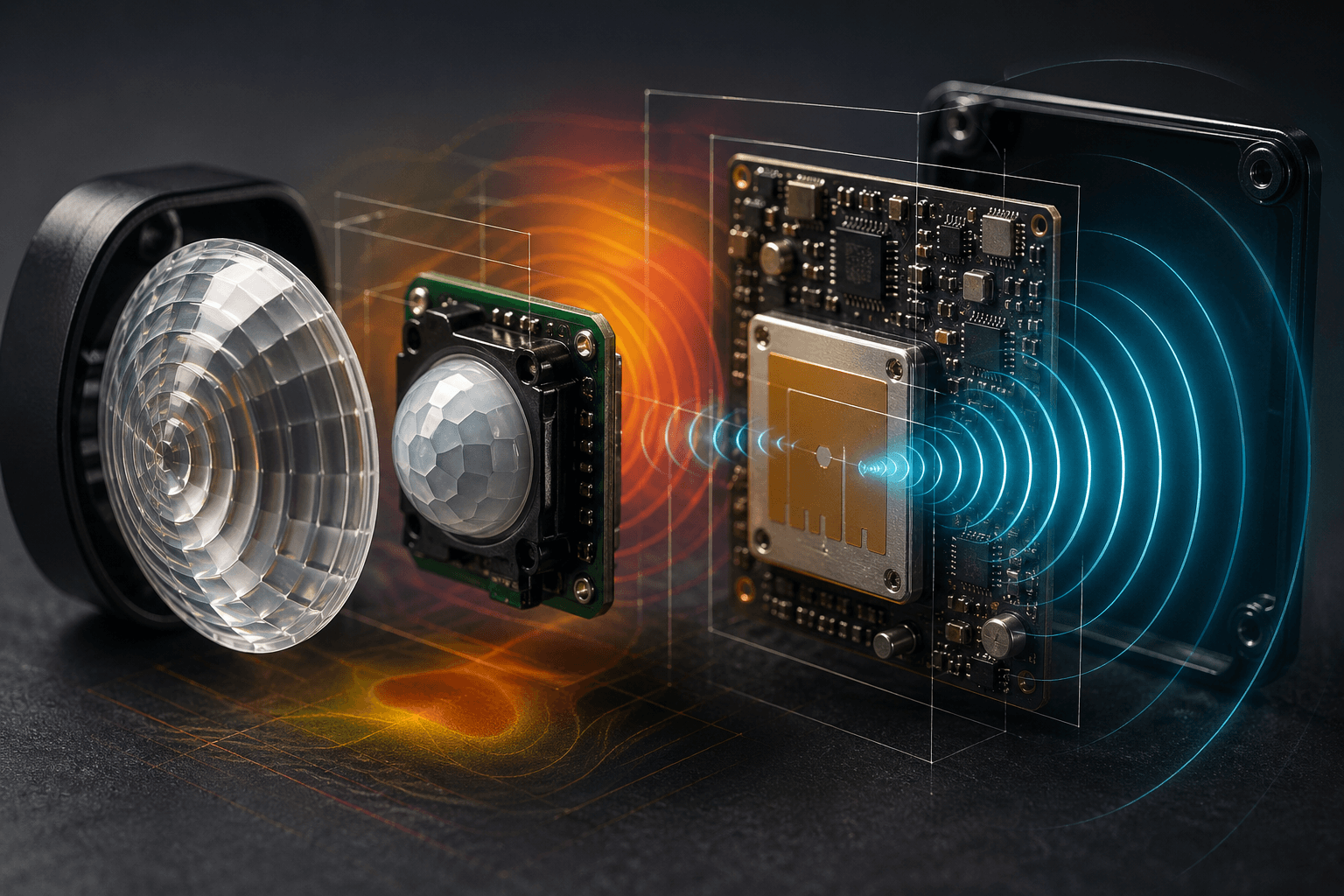
PIR sensors are the workhorse of battery-powered cameras. They are passive, meaning they emit nothing and simply watch the room for changes in infrared (heat) radiation. The element inside is a pyroelectric crystal split into two halves; when a warm body crosses from one half's field of view to the other, the voltage difference fires a trigger. Adafruit's excellent PIR tutorial notes that a typical hobbyist module sees roughly 20 feet across a 110 by 70 degree cone, with that cone shaped by a faceted Fresnel lens that focuses heat onto the sensing element.
The big advantage is power: a PIR draws microamps and can sit dormant for weeks. That is why Ring, Arlo, and most other battery doorbells start with PIR. Ring confirms in its official motion detection documentation that battery-powered devices use a tiered "Frequently / Regularly / Periodically" setting that literally puts the PIR to sleep between triggers to extend runtime, with the most aggressive setting cutting battery life dramatically.
The downsides are physical. PIR cannot see through glass (window heat does not transmit through normal panes well), it gets fooled by anything that radiates heat, and it loses sensitivity as the ambient temperature approaches body temperature. On a 95-degree afternoon, a person walking past is barely warmer than the sun-baked driveway, so detection range collapses.
2. Microwave and Radar: The Active Method
Microwave sensors flip the model. Instead of waiting for heat, they emit a low-power radio frequency signal (typically 5.8 GHz or, in newer mmWave radar modules, 24 or 60 GHz) and measure the Doppler shift of the return. A moving object compresses or stretches the wavelength, and the sensor reads that change as motion. Some 2026 doorbells, including newer Google Nest and certain Eufy models, ship with mmWave radar specifically because it can detect tiny motions, like a person standing still and breathing, that PIR completely misses.
Radar sees through plastic and even thin walls, works in total darkness, and is unaffected by temperature. The trade-offs: it draws more power than PIR, it can trigger on cars driving past at the curb, and it picks up wind-blown vegetation enthusiastically. Most cameras that use radar pair it with another sensor to confirm rather than use it alone.
3. Computer Vision and AI Object Detection
The third method is the one marketing brochures love. The camera grabs frames, runs them through a neural network trained to spot people, vehicles, packages, or animals, and decides whether the motion you would see in pixels is something you actually care about. Modern systems are typically based on convolutional architectures derived from YOLO (You Only Look Once) or similar single-shot detectors that draw bounding boxes around objects in real time.
This is what powers "person detected" and "package detected" alerts. Eufy's lineup advertises on-device AI chips that perform body-shape and facial analysis locally instead of in the cloud, which is faster and more private but bound by the silicon you bought. Google's familiar face detection on Nest goes further: with a Google Home Premium subscription, the camera learns to label specific people from a face library you build over time.
The catch: the model is only as good as its training data and the resolution it has to work with. Person detection regularly misfires on mannequins in store windows, life-size cardboard cutouts, statues, your reflection in a parked car's window, and (notoriously) pictures of people on delivery trucks. False negatives happen too: someone in a hooded coat at night, a person crouched behind a railing, or anyone moving directly toward the camera, where pixel motion is small even though they are clearly closing distance.
Why Most Cameras Layer All Three (the Hybrid Pipeline)
Here is the part that explains your battery life. Running a YOLO-class neural network on every frame, 24 hours a day, would drain a battery doorbell in hours and roast a wired camera's processor. So real products use a cascade.
- Stage 1, the cheap watcher. A PIR or radar sensor sits awake at very low power. It does not classify anything; it just notices "something thermal moved" or "something Doppler-shifted." This wakes the camera.
- Stage 2, the camera turns on. The image sensor powers up and starts streaming frames. Pixel-difference algorithms confirm something visibly changed (this filters out PIR triggers caused by heat plumes with no visible cause).
- Stage 3, AI classification. The neural network classifies what it sees: person, vehicle, animal, package, unknown. Only at this point does the camera decide whether to push you a notification.
Ring formalizes this layering as Advanced Motion Detection, where PIR triggers wake the device and computer vision then scans pixel shapes to recognize humans, packages, and vehicles. Google Nest's camera and doorbell alerts system describes the same idea in software: motion fires an event, and intelligent alerts decide whether to surface it as person, animal, vehicle, or just "activity." The benefit of the cascade is huge battery savings; the cost is that any failure at Stage 1 means Stage 3 never gets a chance to correct it.
The Physics of False Triggers
Most "ghost notifications" trace back to predictable physical phenomena. Once you know the cause, you can usually fix it.
- HVAC heat plumes. A nearby vent or dryer exhaust pushes a column of warm air across the PIR's field of view. The sensor reads it as a moving warm body because, optically, that is exactly what it looks like. Re-aim or mask the zone.
- Sun-warmed pavement and siding. As the sun moves across a driveway, it heats different patches at different rates. A PIR can read those rolling thermal gradients as motion, especially in late afternoon when shadows are sharp.
- Wind-blown vegetation. Leaves and branches do not generate much heat, but they do generate a lot of pixel motion and they Doppler-shift radar. Cameras relying mainly on pixel-difference detection light up every windy day.
- Bugs and spiderwebs on the lens. An insect crawling on the dome at night, lit by the IR illuminator, fills nearly the entire frame and registers as massive motion. This is the single most common cause of 3 a.m. alerts.
- Rain and snow. Heavy precipitation creates thousands of small moving objects with their own thermal signatures. Some cameras have specific weather-aware filters; many do not.
- Headlights and shadows. A car's headlights sweeping across a wall create pure pixel motion with no thermal component. Cameras without PIR cross-checking are particularly vulnerable here.
The User-Facing Tweaks That Actually Help
Almost every modern app exposes the same four levers, even if vendors name them differently. Pulling the right one solves most issues.
- Sensitivity slider. This usually controls the PIR threshold and/or the minimum bounding-box size the AI will report. Lower it before doing anything else if you get nuisance alerts.
- Activity zones. Drawn polygons that tell the camera to ignore motion outside a specific area. Use them aggressively to mask the street, neighbor's yard, or that one bush. Google Nest and Ring both let you draw multiple zones per camera.
- Object filters. Toggle "people only," "vehicles only," or "packages." This routes triggers through the AI classifier and discards anything else. It does not stop the PIR from waking up, so it does not save battery, but it does silence your phone.
- Schedules. Disable detection (or shift to people-only) during hours when you do not want alerts. A camera covering a school bus stop can stay quiet during morning pickup and aggressive afterward.
For a fuller view of how detection ties into the rest of a security stack, our smart tech and home security overview walks through how cameras coordinate with sensors and hubs, and our 2026 home security technology trends piece covers where on-device AI is heading next.
Why "Person Detection" Claims Often Misfire
Marketing pages love the phrase "advanced AI person detection." Two things to keep in mind. First, the model running on a $99 doorbell is not the same one running in a research paper; it has been quantized, pruned, and squeezed onto a chip with maybe 1 watt of compute budget. Accuracy claims of "99%" usually reflect ideal lab conditions, not your dim porch in a rainstorm.
Second, "person detection" has two failure modes that look very different to you. False positives (the dog statue across the street that triggers every night) feel annoying but harmless. False negatives (the actual person who walked up to your door wearing a hoodie at 1 a.m. and never set off an alert) are the ones that matter for security. Cheaper cameras tend to be tuned aggressively in one direction; weighing how a system handles each failure mode is part of why our home security systems comparison looks beyond the spec sheet.
If you rent and cannot wire anything permanent, detection accuracy matters even more, because you typically have fewer cameras covering more ground. Our guide to the best security systems for renters highlights battery-powered options whose hybrid PIR-plus-AI pipelines hold up well in apartments and townhomes.
The Bottom Line
Motion detection is not one feature; it is a stack. A passive infrared sensor wakes your camera, a radar or pixel-difference layer confirms the trigger is real, and a neural network decides whether what it sees is worth your attention. Every false alarm and missed event traces back to one of those three layers misbehaving, and almost every fix is a setting in your app away. Knowing which layer is at fault, whether it is a heat plume tripping the PIR, a windy tree fooling the radar, or a delivery truck graphic confusing the AI, turns "my camera is broken" into "I need to redraw an activity zone."
Want a personalized recommendation that matches detection technology to your home, your battery tolerance, and your false-alarm patience? Get matched with a vetted security solution from Smart Security Concierge and stop relying on guesswork from product pages.